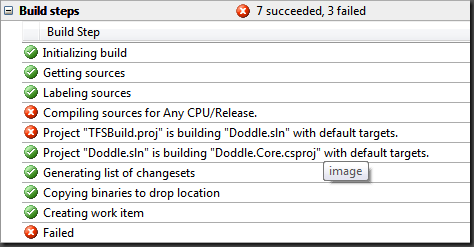
This weekend I started playing with Automated Builds in TFS 2008. Over the next few weeks I am going to setup automated builds for my various projects so I can start running automated integration testing and automated staging releases at certain intervals (nightly, weekly, etc). Unfortunately I hit a snag when I tried building one of my solutions that contained a Web Application Project.
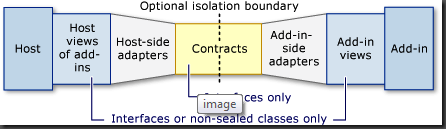
Disclaimer: This post is mainly for my own reference. Quite honestly, the Managed AddIn Framework (henceforth known as MAF), is a rather complex beast, and I simply cannot remember all the steps necessary to utilize it properly without a small reference guide. This post will cover the complete step-by-step tutorial of every action that a developer must perform to utilize the AddIn framework. It will not be a complete overview of what MAF is or how all the parts tie together. I will do my best to cover these things, but I have also included some very helpful reference material that will cover these topics better than I ever could.
As mentioned in my previous article, the Managed AddIn Framework supports AppDomain isolation out of the box. This can come in very handy as long as you understand what is really happening under the covers. I am not going to cover all the details of AppDomain isolation and assembly loading within the CLR, but there are plenty of great resources about such things on MSDN. All you need to know for this article is that every .NET assembly much be loaded into memory within an AppDomain, and unless you specifically share assemblies across these domains (as explained below) then they will be loaded into memory for every AppDomain you create. This is particularly important for WPF AddIns, because the WPF assemblies consume a rather generous portion of memory, and since your AddIns are each loaded into their own AppDomain, this means that the WPF assemblies must also be loaded into each of these AppDomains. If you are not careful, your application could begin to consume large amounts of memory without you even noticing.
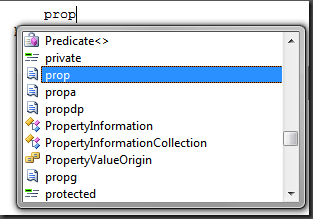
Just what exactly are these snippets? I believe that snippets are an underused feature built into Visual Studio. This post is my attempt at comparing the two tools I have used for snippet creation, and hoping to make more developers out there aware of just...
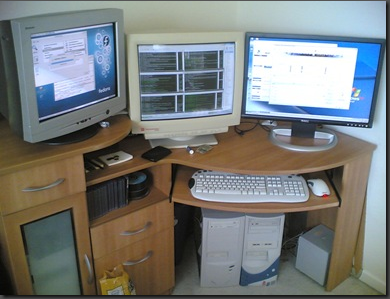
I recently noticed a colleague of mine using a hardware KVM to share his desktop keyboard and mouse with his laptop. He had a standard hardware KVM with basic PS/2 inputs and could toggle between the PCs by pressing Scroll Lock twice. Pretty typical setup...